Free Email Marketing Strategies for Your Race
Benefits of Email Marketing Contents
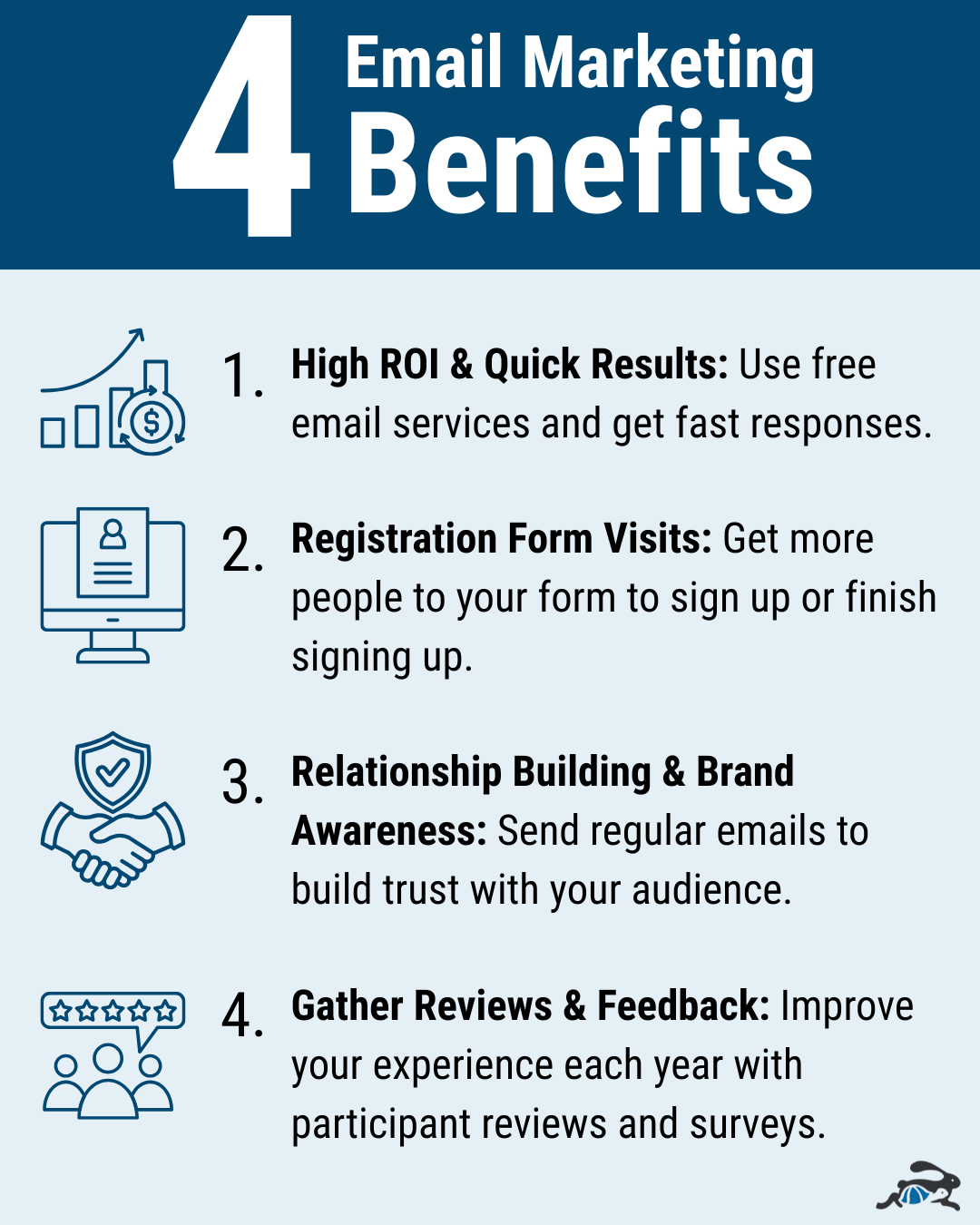
- Benefits of Email Marketing
- High ROI & Quick Results
- Registration Form Visits
- Relationship Building & Brand Awareness
- Gather Reviews & Feedback
- Email Tips and Tricks
- 1. Know Your Email Audience
- 2. Craft Your Email Content
- 3. Create a Smart Email Design
- 4. Strategize Your Email Timing & Frequency
- 5. Ensure Email Delivery
- How to Use Race Entry for Free Email
Emailing your participants has never been easier. With the right tools and proven email marketing strategies, you can take your email game to the next level.
We’ll cover the following three things:
- Benefits of email marketing
- Email tips and tricks,
- How to use Race Entry’s free emailing software.
Benefits of Email Marketing
Email is a great, free way to communicate. It carries a high return on investment (ROI) and gets people to your registration form.
High ROI & Quick Results
Abandoned cart emails or incomplete form reminders help ensure that you get more signups completed for your race. Race Entry’s integrated system includes automated abandoned form email reminders that send after a form has been idle for 30 minutes. You can even turn on additional reminders to keep following up.
These simple emails carry a high ROI – you don’t even have to think about it. The email sends on its own and more people finish signing up for your race.
A second way to get quick results and see a high ROI is by announcing your price increases via email. These emails alert your past participants and people who still haven’t finished their form that they should act fast to get the best deal on your race.
Send your price increase announcements the day before they increase. Include quick links to your form to make it easy for athletes to sign up quickly.
Abandoned signup and price increase emails are both cost effective ways to drive registrations for your race.
Registration Form Visits
Beyond getting people to return to your form to finish signing up before a price increase, you can also reach out to your past participants to get more people to your form. Send an email to announce your upcoming race. Athletes who’ve done your race before and had a good experience will want to come again.
Relationship Building & Brand Awareness
Email is also key for long-term relationship- and brand-building. Each year you attract new people to your race – think of it as a start to a relationship. You want your athletes to return year after year to your race and even participate in new races you start.
Send this year’s participants important and timely information about your race – where to go for packet pickup, what to expect on the course, and finish line fun.
Keep your audience engaged over time with updates on your race – medal designs, course updates, shirt designs, etc. As you send updates, don’t overwhelm your audience with emails. You don’t want to end up marked as spam.
Gather Reviews & Feedback
Use email to gather feedback and reviews for your race. Participant reviews and testimonials are powerful additions to your marketing:
Reviews help your search engine optimization (SEO). Publishing this content on your website makes your website easier to find in search engines. Search engines like user-generated content and prioritize it in the search results.
Use reviews and testimonials on your social media – help people start to understand and visualize being at your race and achieving their goals.
A relatable athlete sharing their personal experience does more to convince new participants to sign up than a marketing pitch you created.
Beyond supporting your marketing efforts, reviews and feedback also help you improve your race experience. The whole point of your business is delivering a great experience, and your participants will tell you what they liked and disliked. This feedback helps you keep your race experience high.
Email Tips and Tricks
Getting started with effective email marketing doesn’t have to be hard. As you start building your email marketing strategy, consider the five elements below:
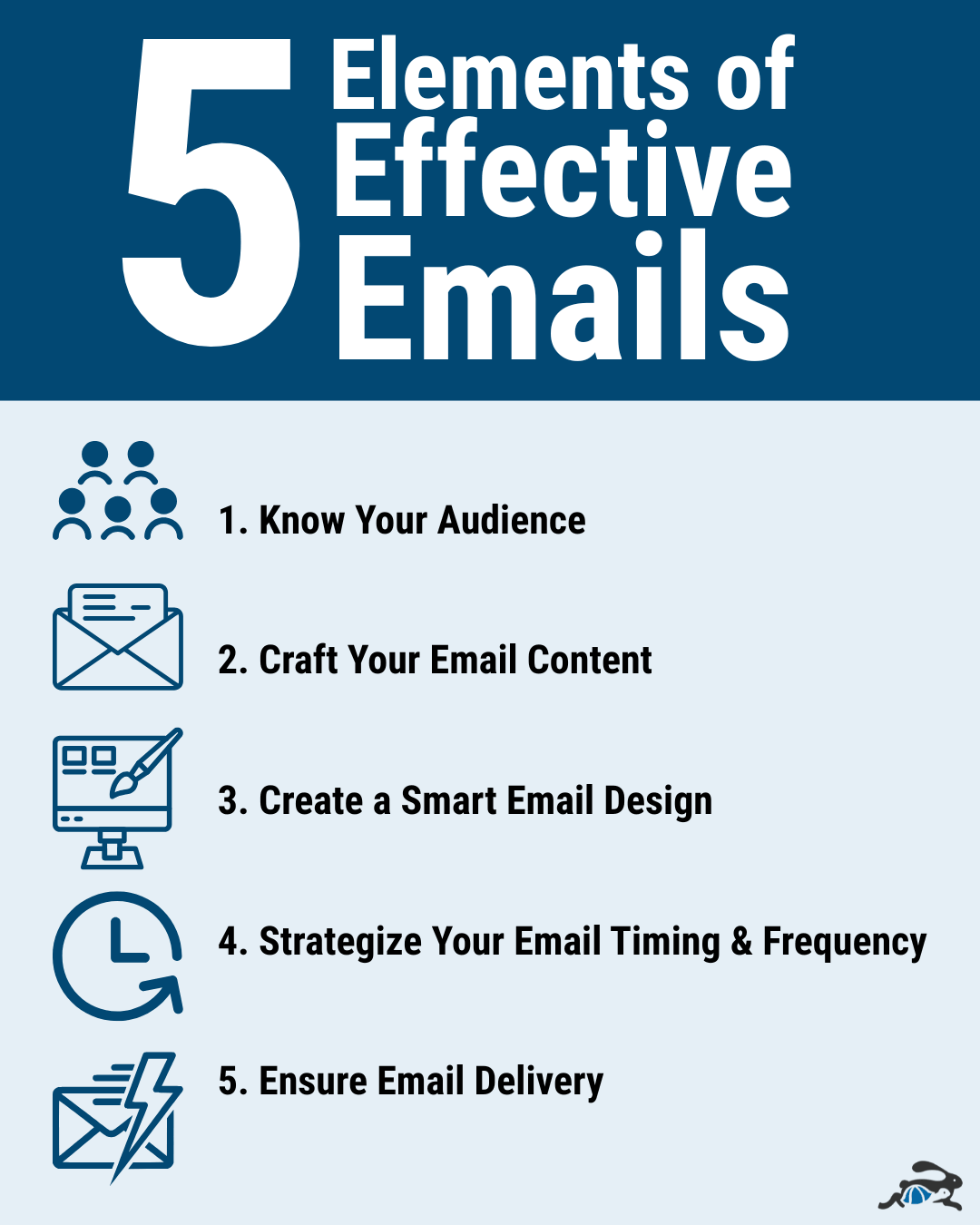
- Know Your Email Audience
- Craft Your Email Content
- Create a Smart Email Design
- Strategize Your Email Timing & Frequency
- Ensure Email Delivery
1. Know Your Email Audience
Start by thinking about who your audience is – age range, gender, income, etc. Are you trying to reach families? You’ll also want to consider their athletic experience: Are they avid runners or cyclists? Is your race a bucket list item?
As you’re building a broader email marketing strategy, you may have multiple audiences. You may want to attract the dedicated athletes and the bucket list crowd. Consider your race’s features that appeal to both audiences.
When you create an email, know who your recipients are. Did they start and never finish their registration? Did they participate last year but haven’t signed up this year? Tailor your email message to these audiences.
2. Craft Your Email Content
Your email content centers on your audience, of course. Consider how they read your messages – most people skim their emails. Keep this in mind when writing your emails.
- Write brief emails that stick to key information. Avoid overstuffing your emails with multiple topics. Keep your focus from your subject line to the end of your email.
- Accent important details to make them stand out. Bold important dates. Include links as buttons.
- Proofread your emails to make sure they have correct spelling and grammar.
- Be kind and avoid punctuation that may make your tone sound different than intended. (Example, too many exclamation marks may sound different to a reader than a mix of periods and exclamation marks)
Subject Line
Your recipients will read your subject line first. It determines whether or not they open your email. Spend time crafting an effective subject line with the following elements:
- 33-50 characters
- Creates interest and urgency
- Reflects the email’s content
Your subject line also factors into how email messages get sorted – primary inbox, promotions, or spam. Avoid words like “sell” or anything that may sound too salesy because those emails could be directed to spam folders. Make sure the subject line is related to the content of the email and not misleading.
Preview Text
The second element your recipients read is your preview text. This is the text that appears immediately after the subject line in unbolded text. If you don’t customize your preview text, the email service provider will use the first line of your email content.
Target 37 characters for your custom preview text to ensure that the full message appears in most inboxes.
3. Create a Smart Email Design
Add color, images, and buttons to your emails to keep your readers engaged. Use color to draw attention to headings or important details.
Use images to convey information and highlight the experience your race offers.
Include important calls to action (CTAs) on buttons so it’s easy for people to know where to go to sign up for your race.
4. Strategize Your Email Timing & Frequency
The timing and frequency of your emails matter. Getting the timing right helps ensure that your recipients see your email and read it. Sending emails at a high frequency can make it easy to ignore your emails, so fewer people read them.
Timing
While sending an email that contains new race details it may not seem important what time or when you send it. It actually can make the difference between a low open rate and a high open rate.
Weekends are not the best time to send an email because people are generally doing other things, and Mondays may be busy recovering from the weekend.
The best days would be the middle of the week Tuesday-Thursday. The best time of day is either in the late morning or afternoon, these are the best times to send emails. People generally check their email at lunch or after work.
If you have details prior to your event that need to be sent out, you should try to send emails out 3-5 days before. A lot of people tend to open emails fairly quickly after receiving them. Sometimes there are people that may open it days later so if the email is sent too close to race day they may not see it in time to get the information.
Frequency
Send emails only when you need to. Overdoing your email frequency increases the likelihood that all of your emails get sorted into spam (and that people start ignoring your emails altogether). At most, send an email once per week.
5. Ensure Email Delivery
The last consideration for email marketing is deliverability. If you send an email, you want to make sure it gets delivered.
Send emails from an email attached to your website’s domain instead of an email “@gmail.com”. Using an email associated directly with your domain signals authority and trust to email service providers. Follow our guide to authenticate your race email domain.
How to Use Race Entry for Free Email
Race Entry has created a simple process for you when you are ready to send an email.
From the sidebar menu on your race, select “Messaging” then “Email Attendees”. If you’re selling booths, sponsors, or fundraising through our software, you’ll need to select your overall audience next.
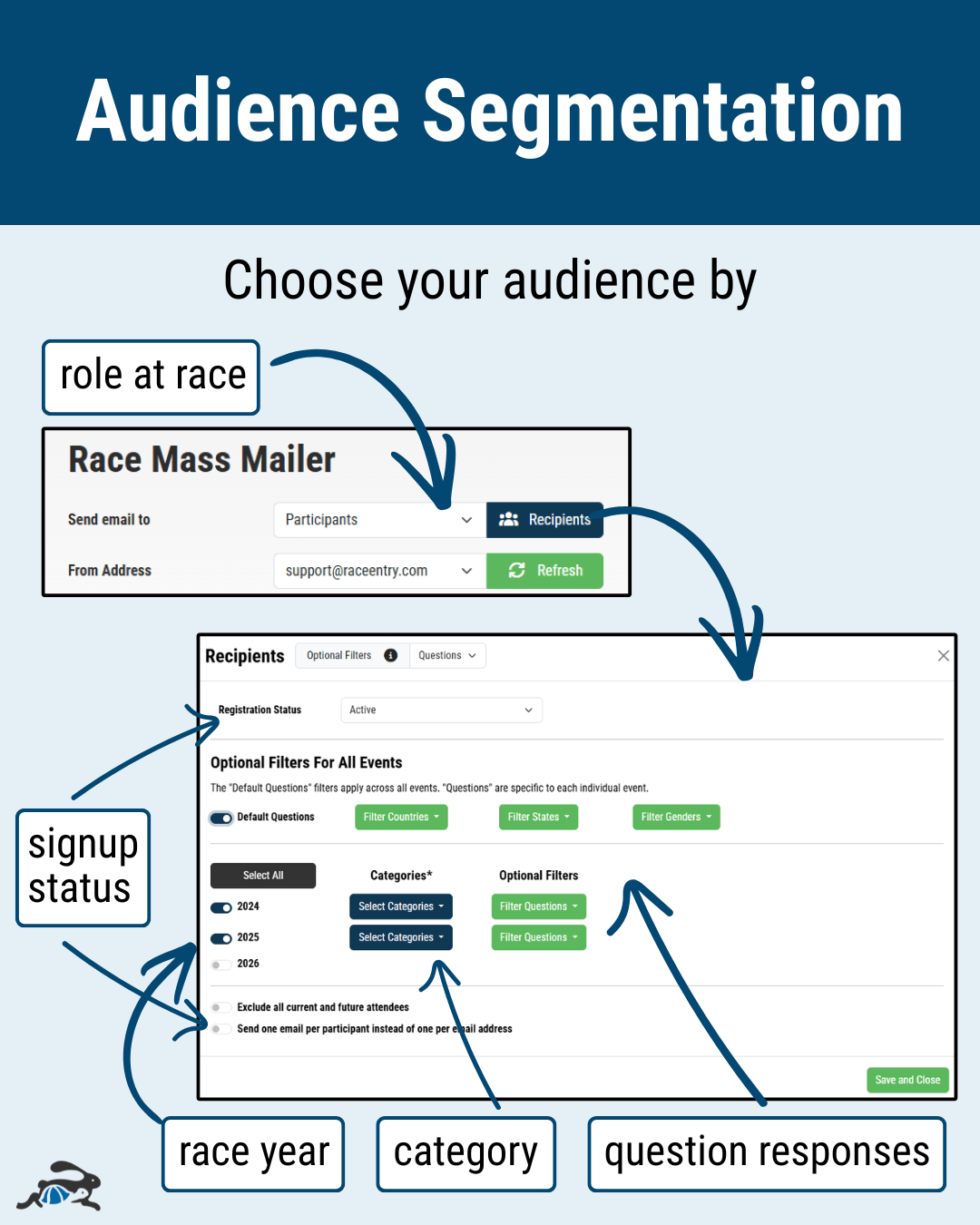
Then, click the “Recipients” button to drill down to your email’s target audience – based on registration completion, category, race year, and more. If you’re sending an email to get more people to sign up, be sure to exclude people who are signed up already.
If this is your first email, enter your email and validate it. Once you’ve validated your email, you can start sending emails.
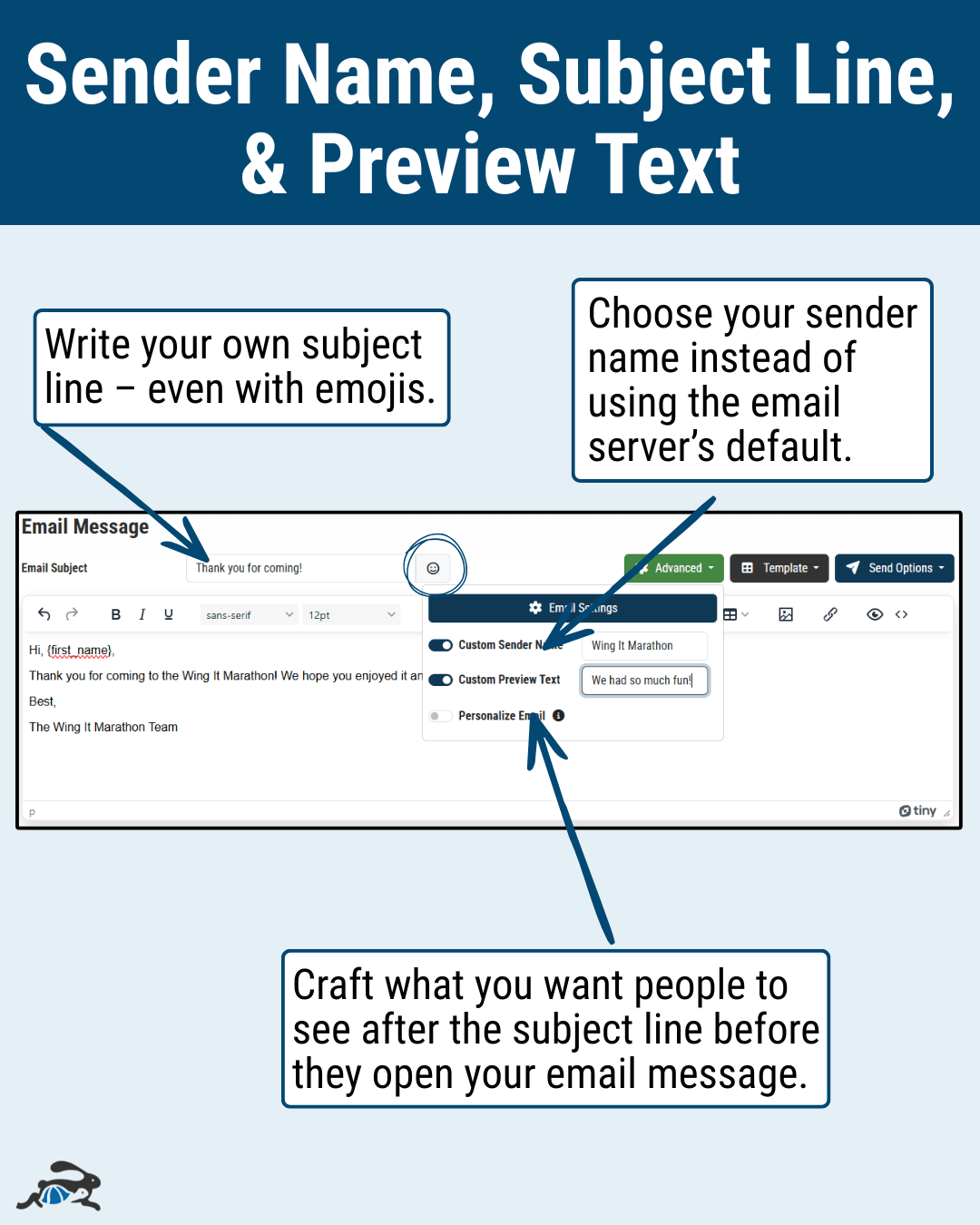
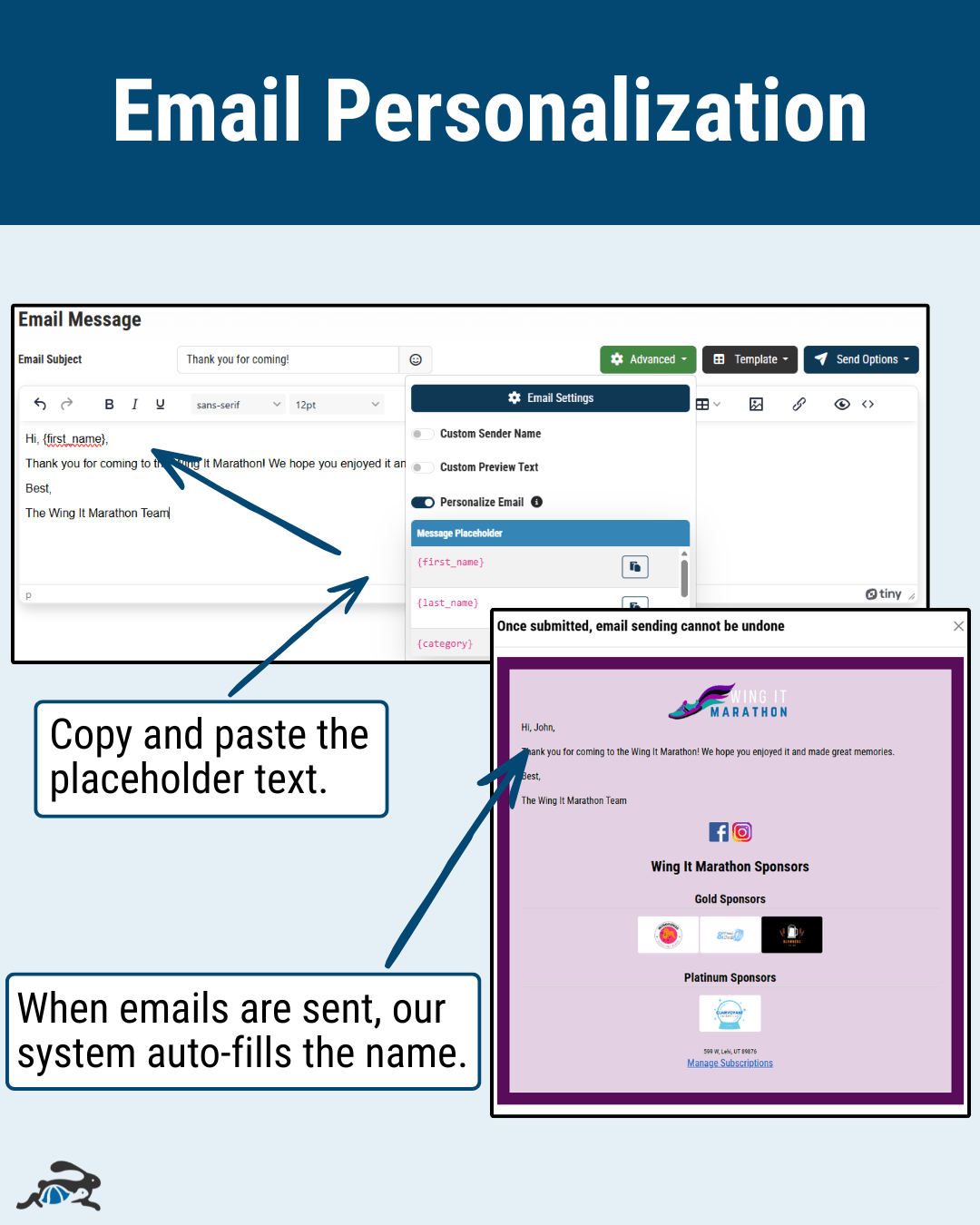
Next, create your email. You can opt to use an email template or send a standard email. Under “Advanced”, you can customize your sender name and preview text. You can also personalize the email with placeholders – first and last name, category, bib number, and registration id. Personalization can help your emails have a bigger impact on your recipients. It also makes it easy to include important details when sending a mass email.
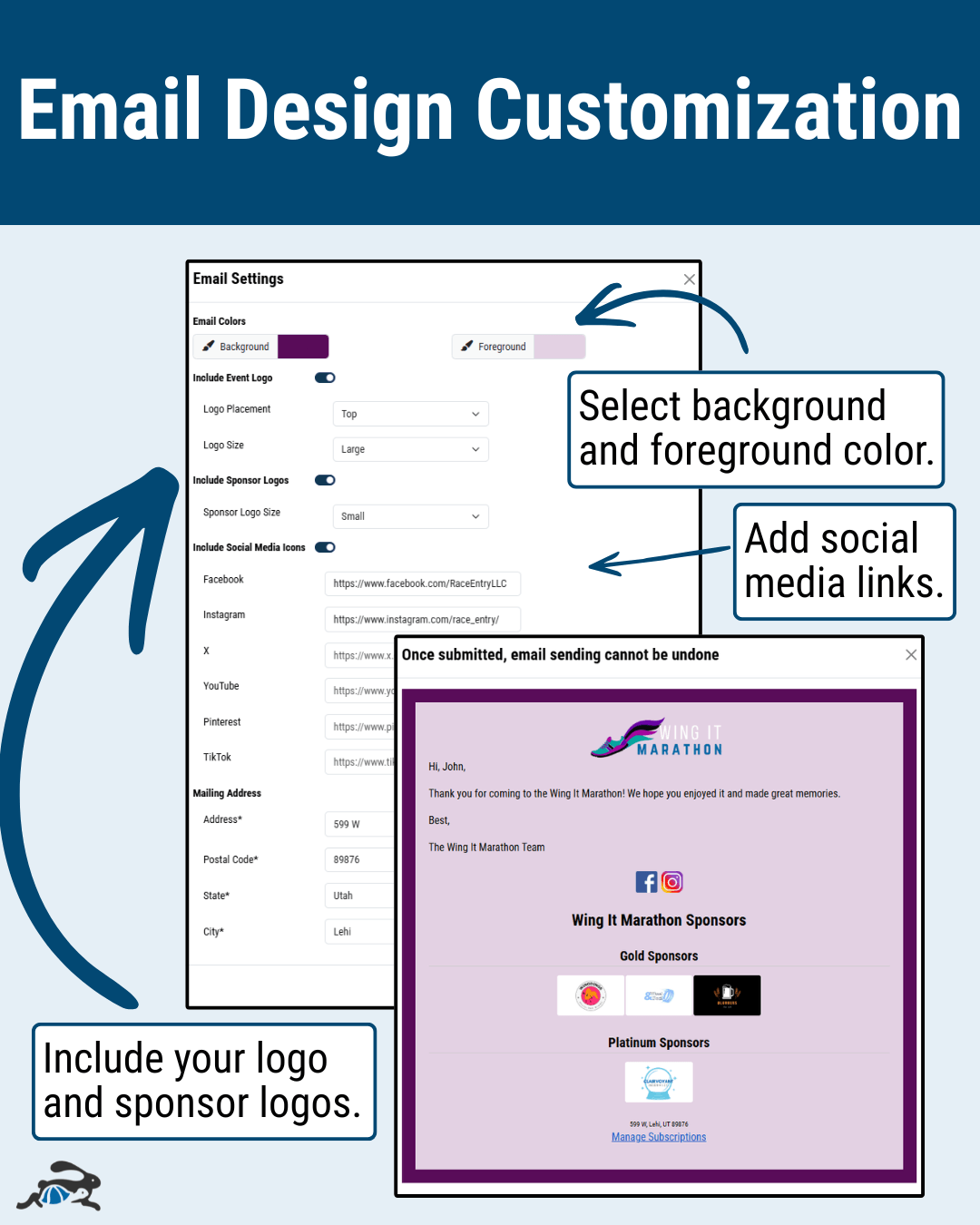
You can also adjust your email settings – automatically include sponsor logos in your footer, include social media links, and include your own logo. If you’re sending a standard email, you can select the background and foreground color for your email. Once you’ve adjusted and saved settings, they’ll apply to all future emails.
Once you’re satisfied with your email, you can send it. You can send it now or schedule it for later. It’s nice to schedule your emails in advance because you can create them when you have time and get them sent without having to remember when you wanted to send the email.
When you click “Preview & Send”, you’ll see an example of what your email will look like to recipients. Check that the personalization placeholders are working properly, the images and colors look good, and one last check on your email text.
If you need to make changes, close the preview to make them. Then, you’ll be ready to send. You can also save your email as a draft to return to later.